

Modes
The mode decides how far the agent goes on a single message before handing control back. It is independent of approvals (including Bypass). Pick a mode from composer quick settings.
Three built-in modes ship on every plan.
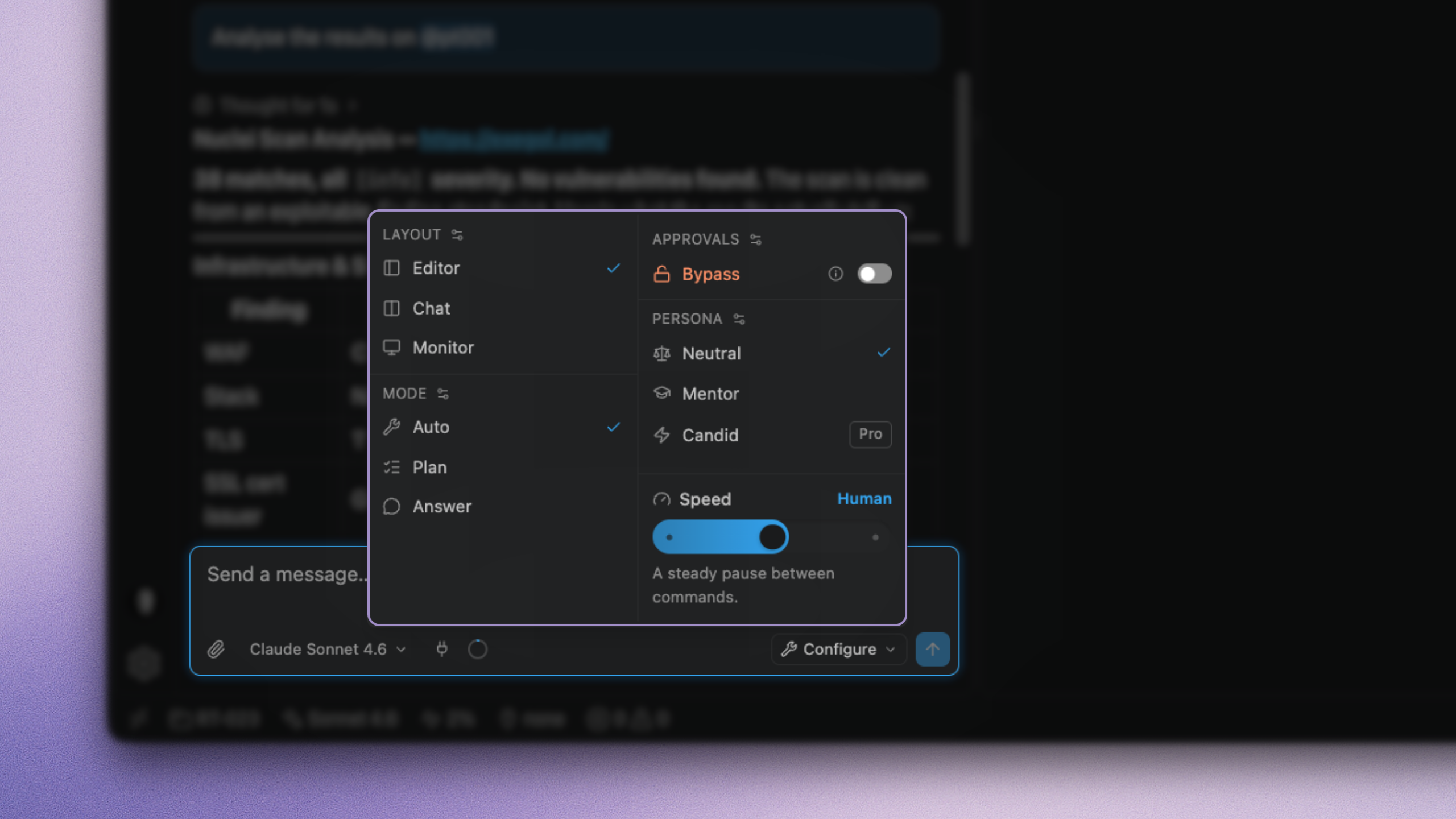
Built-in modes
Runs tools step by step and stays in the loop between steps. Default for real work. Respects your approval rules unless Bypass is on.
Custom modes ProTeamEnterprise
The paid plans allow you to build modes of your own.
Under Settings → Modes, create a mode with a name, a turn ceiling, optional time and token budgets, and Keep working without handing back.
- Switch on: the agent keeps going until the task is done, a limit hits, or you stop it. You can still type to steer mid-run.
- Switch off: behaves like Auto, with the ceiling you set.
Modes you already built stay selectable if the plan changes.
Without a natural pause, a stuck loop burns tokens. Turn ceiling, time, and token budgets are on the same card.
A custom mode still uses Auto's tools and your approval policy. Looping alone does not skip approvals.
Choosing
| Situation | Mode |
|---|---|
| Normal engagement | Auto |
| Risky or large task | Plan first |
| Quick question | Answer |
| Long unattended lab sweep | Custom looping mode + careful Bypass use |