

Providers and models
Studio ships no model of its own. You connect a provider, then pick which model runs each turn from the composer.
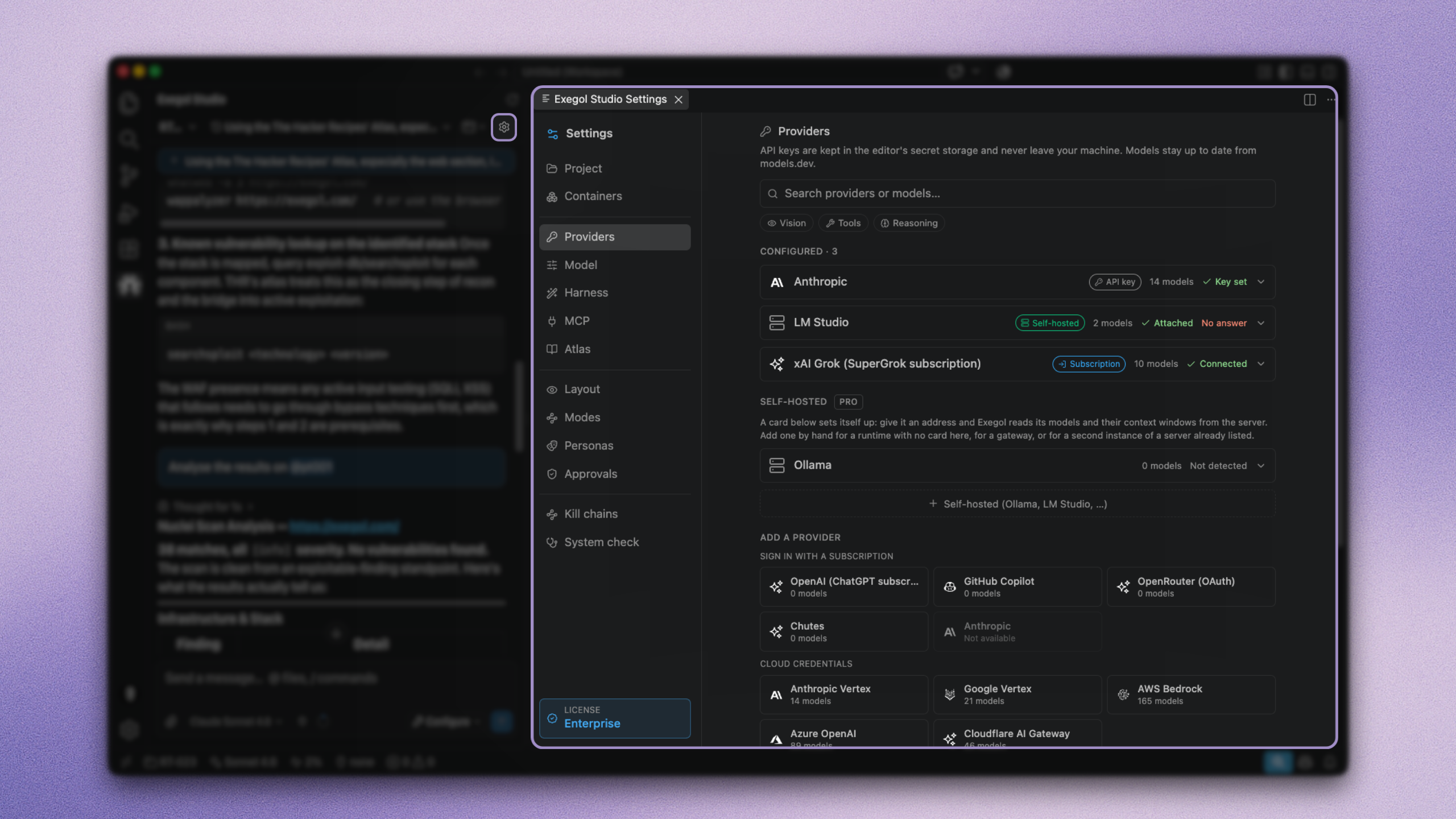
Settings → Providers (keys and endpoints) and the model list on each provider tile.
API key
Add a key from the Providers page. Pick the provider, paste the key.
Subscription login
Where supported, sign in with a consumer plan instead of pasting a key (for example ChatGPT, GitHub Copilot, SuperGrok, OpenRouter, Chutes). Browser or device-code flows store a token beside your keys.
Self-hosted providers ProTeamEnterprise
Attaching a local runtime (Ollama, LM Studio, llama.cpp, vLLM, ...) or defining a custom OpenAI-compatible base URL.
Vertex AI, Amazon Bedrock, and Azure OpenAI use their own auth (ADC, IAM, API keys, Entra). Configure them from the Providers page with the project, region, or resource your organisation requires.
Local runtimes often advertise the training context (for example 128k) while allocating a much smaller window from VRAM. Ollama may truncate oversized prompts silently from the front, which drops system instructions. Configure num_ctx / load context so the declared window matches what you serve, or the agent looks "dumb" when it was truncated.
Self-hosted keeps prompts and tool output off third-party networks. Smaller local models are weaker at long tool-calling loops; a common pattern is local for sensitive material and a hosted model for hard reasoning on sanitised questions.
Catalogue and discovery
Providers and model metadata come from models.dev. A snapshot ships with the extension so the picker works offline; it refreshes in the background when the network is available.
The catalogue is the general offer. Your account may differ. Studio asks each configured provider what it actually serves and reconciles that with the catalogue. What you see in the picker is what your key or session can call.
When a provider retires or renames a model, discovery follows. A missing model usually means it is gone upstream.
Reasoning effort
Models with a thinking mode can be set to off, low, medium, or high, remembered per model. The control only appears when the model supports it.
Keep in mind that reasoning effort costs tokens. Reasoning tokens are billed and count against the context window. High effort on a long autonomous run is an easy way to a surprising invoice.