

Rooms
A Room is a grid of live session tiles in one editor tab. Use it when more than a couple of agents are running and clicking each session no longer scales.
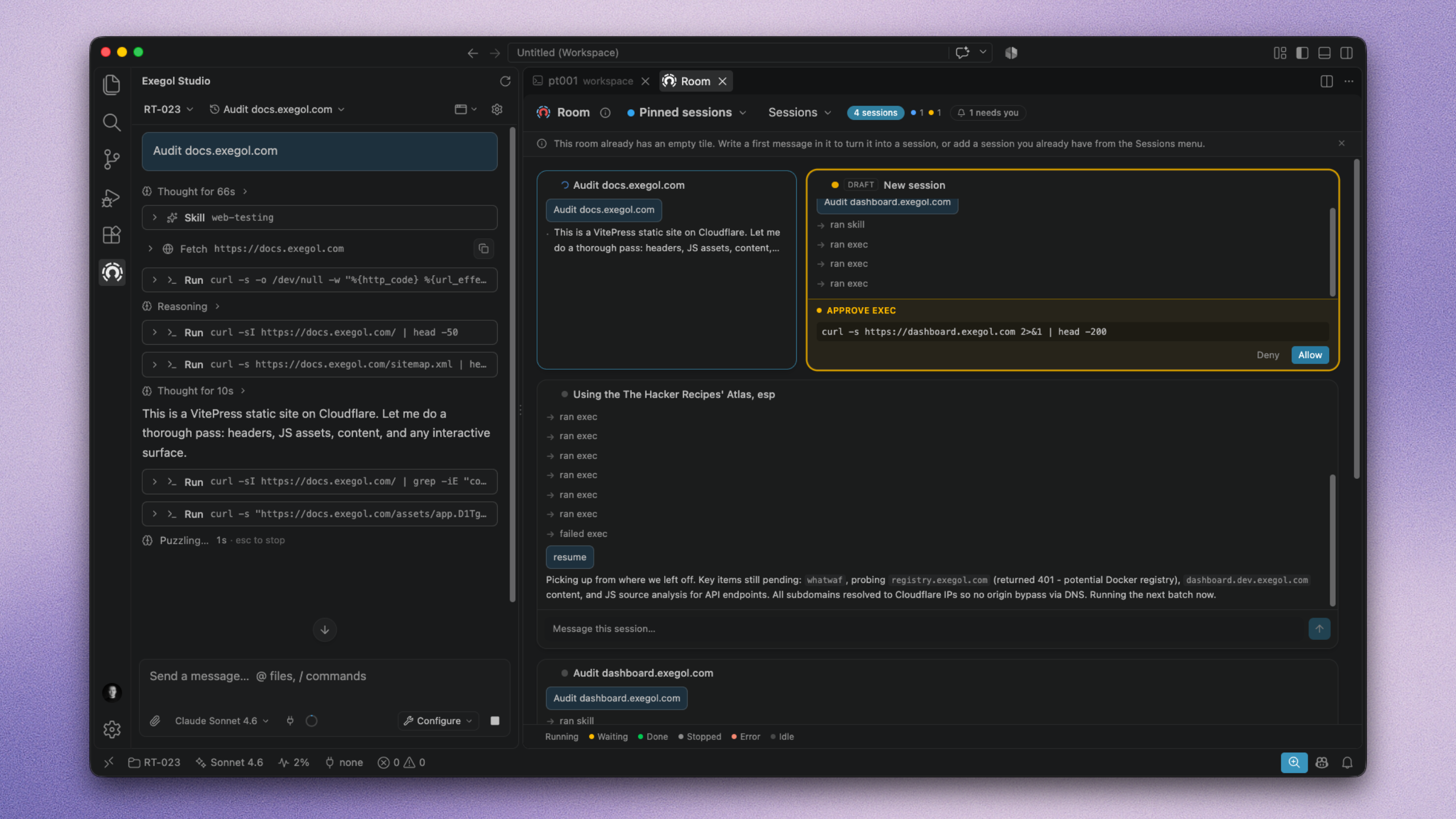
Default Room
The default Room lists pinned sessions. Pin a session from the sidebar and it appears here; unpin removes it. You can also pin sessions directly from the Room.
Custom rooms ProTeamEnterprise
Named rooms you compose yourself: per target, per phase, per teammate scope. Add or remove sessions from the room's session list. A session can sit in several named rooms at once.
Tile
A session shows as a tile in the Room. There are three sizes: S, M, L.
- S: Glance, attention bar jumps you to the cockpit when needed
- M: Supervise, allow / deny inline, stop the run
- L: Pilot, full feed plus input to steer without leaving the grid
The header gauge shows running / waiting / error / done. A "needs you" filter scopes the grid to blocked or failed tiles.