

Layouts
Layouts decide where the conversation and the execution live in the editor. They do not change what the agent runs or what it costs. It's only a visual preference.
Pick Editor, Chat, or Monitor from composer quick settings.
How the editor is structured
Studio uses the regions VS Code (and compatible forks) already have:
| Region | Typical Studio use |
|---|---|
| Activity bar | Exegol Studio icon opens the cockpit |
| Primary side bar | Chat thread and composer in Editor layout; session list and launch actions in Chat or Monitor |
| Editor area | Your files, terminals, web-tools, rooms, settings; Chat thread in Chat layout; pseudo-shell in Monitor |
| Panel (bottom) | Integrated terminal; you can open an Exegol container shell here too |
The three layouts
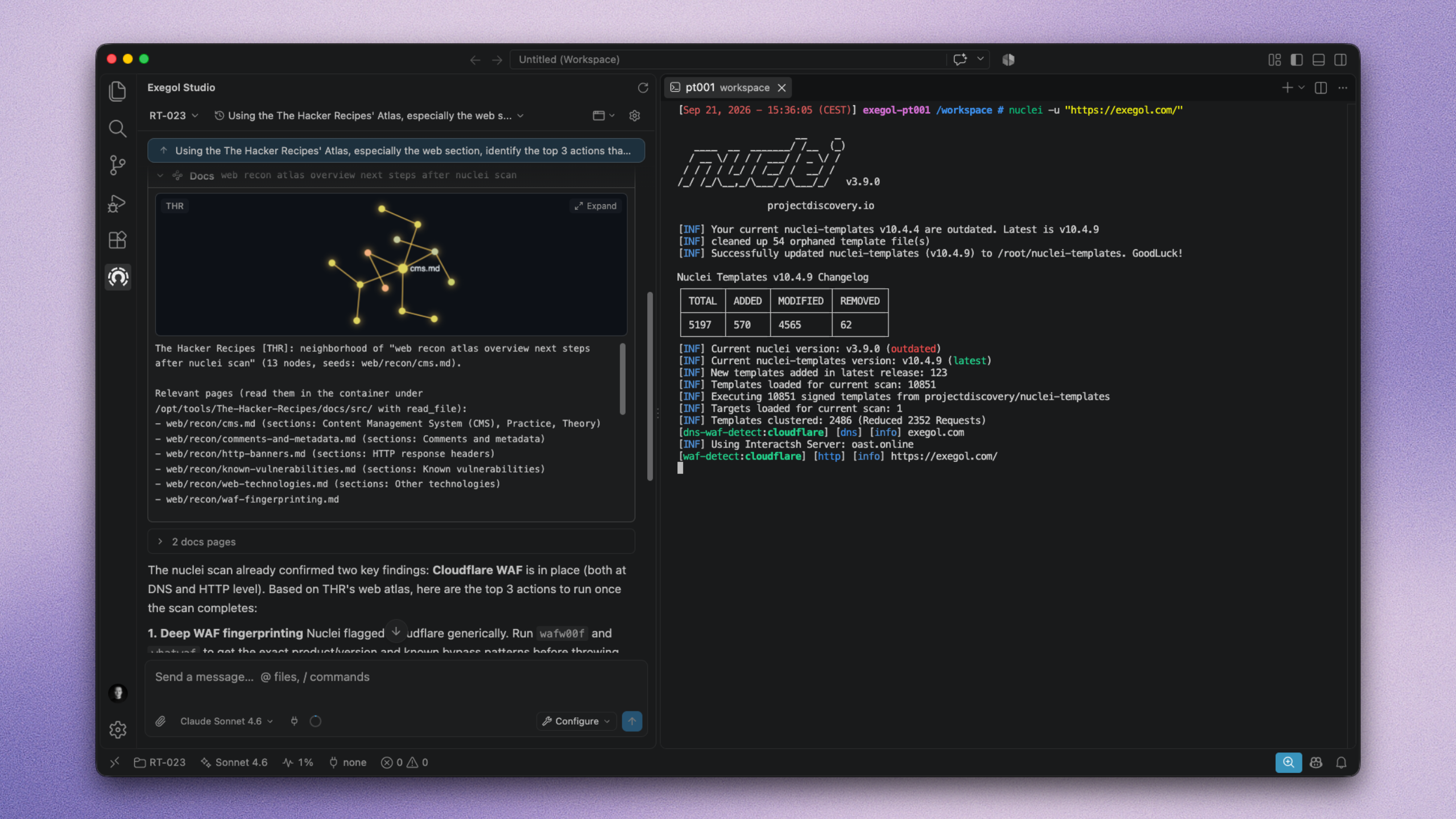
Default. Conversation in the primary side bar beside your code. Best when you are editing notes or scripts while the agent runs.